Every file. One job.
Workshop job book
Customer, vehicle, VIN, rego, logs, ECU files, notes and DTCs on one job. Search history by plate, VIN or calibration ID.

 SmartECU Desk · Windows
Workshop software for diesel performance shops — job book, factory-vs-modified overlay, and a one-page customer report from the road.
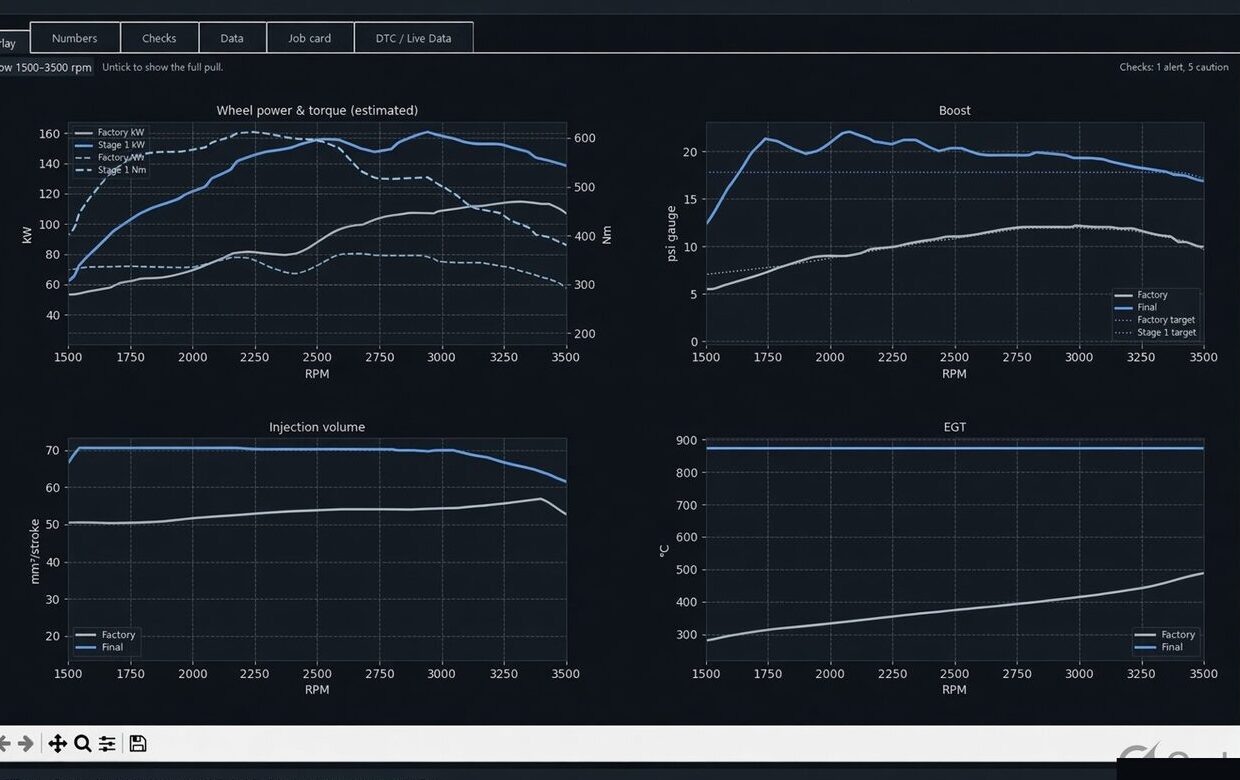
Factory vs modified. On the road. On one sheet. Wheel power and torque are road-load estimates — not a hub or roller dynamometer certificate.
What shops use it for
Built around diesel performance work — LandCruiser, Hilux and the next CAN datalog you load — generic enough for other road pulls. Check profiles in Settings.
Every file. One job.
Customer, vehicle, VIN, rego, logs, ECU files, notes and DTCs on one job. Search history by plate, VIN or calibration ID.
Two logs. One graph.
Estimated wheel kW and Nm, boost, injection, common-rail pressure, EGT, and target vs actual where the log has them.
One page. Your logo.
Landscape sheet with the shop mark. Peak kW / hp, pull quality (WOT / gear / sample time), road-load graph.
What the truck did.
File-supplier PDF plus a zip of logs and ECU files so the tuner can see the road pull, not just the binary.
Inside the desk
Overlay the factory pull against the modified pull. Hand the owner a sheet they can actually read.
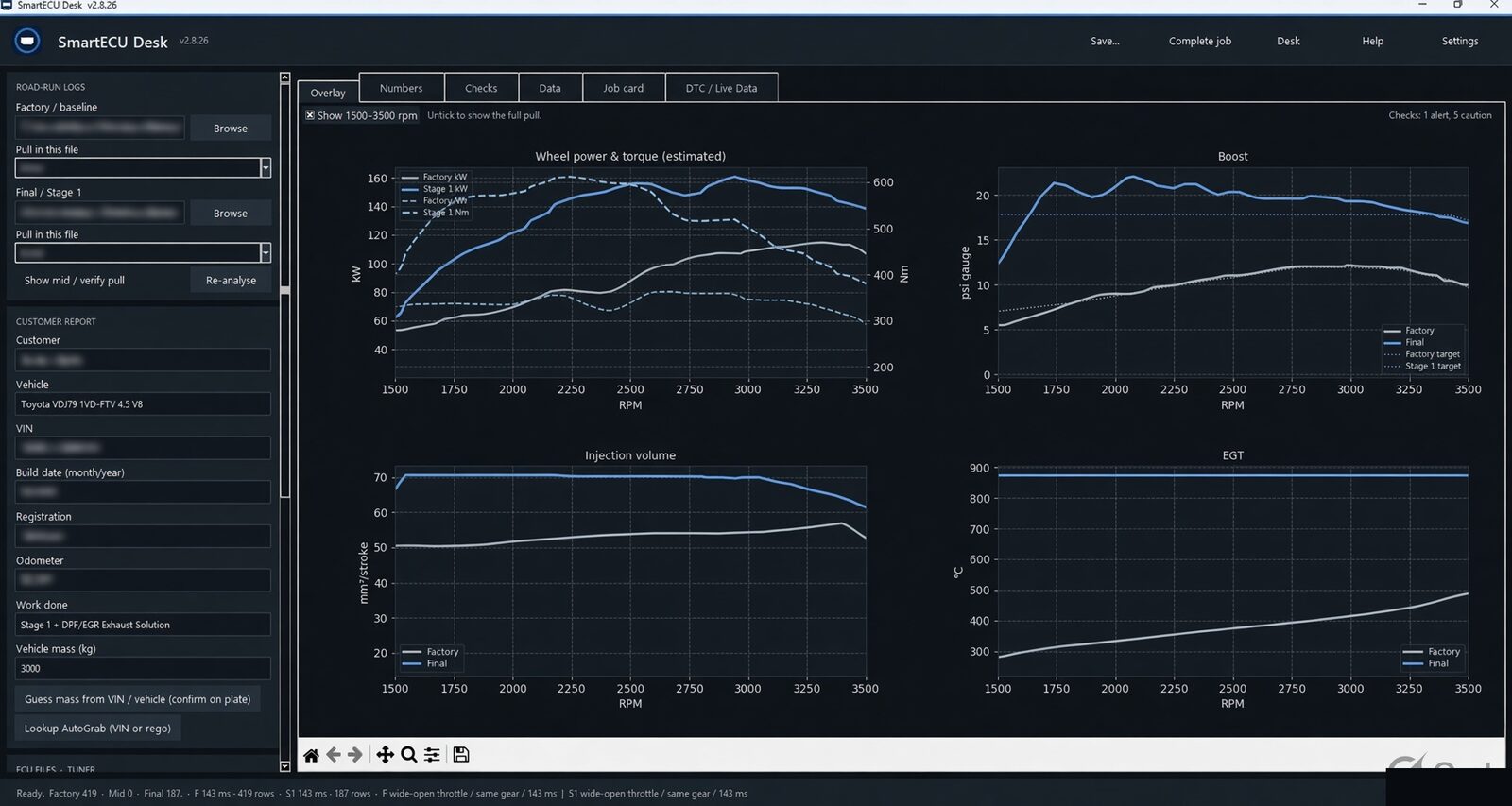
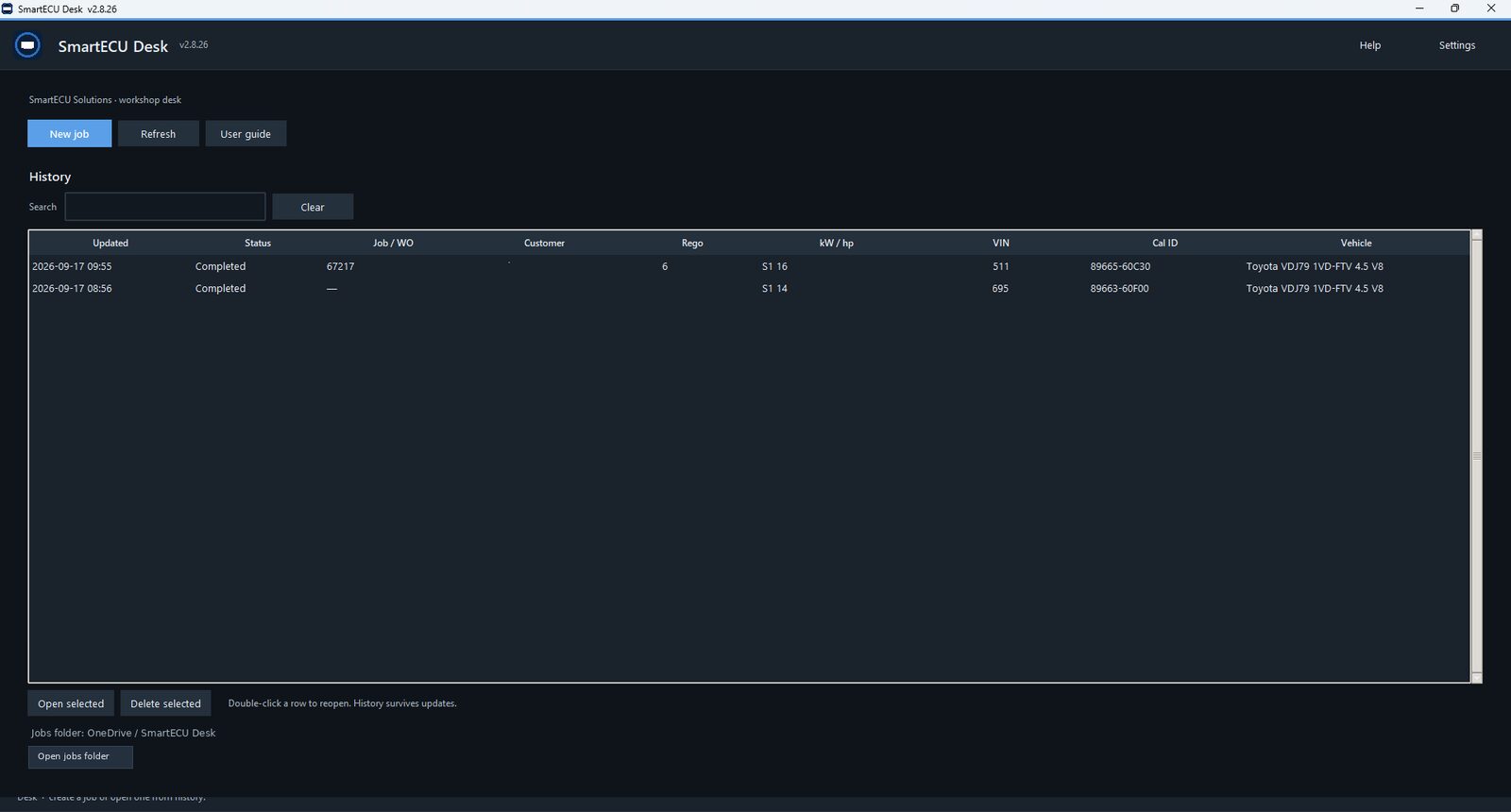
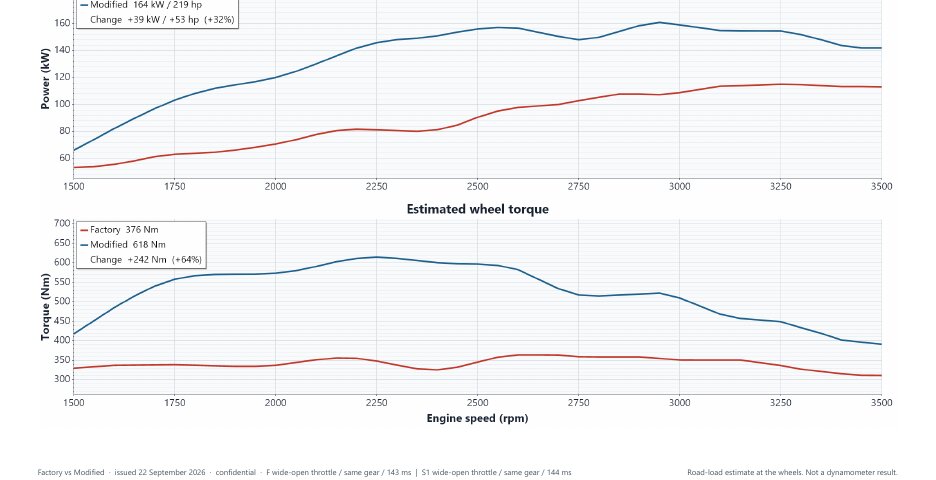
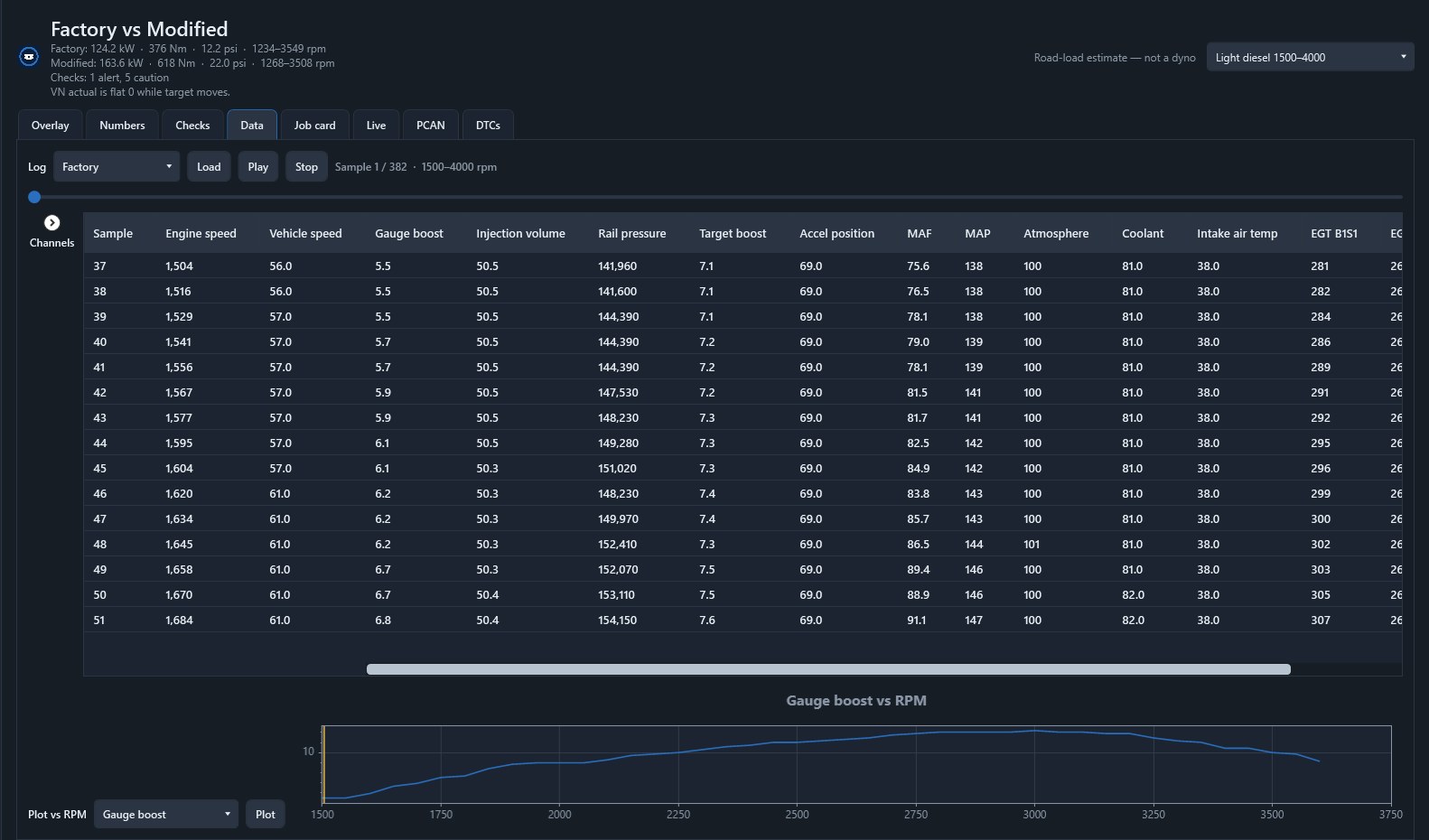
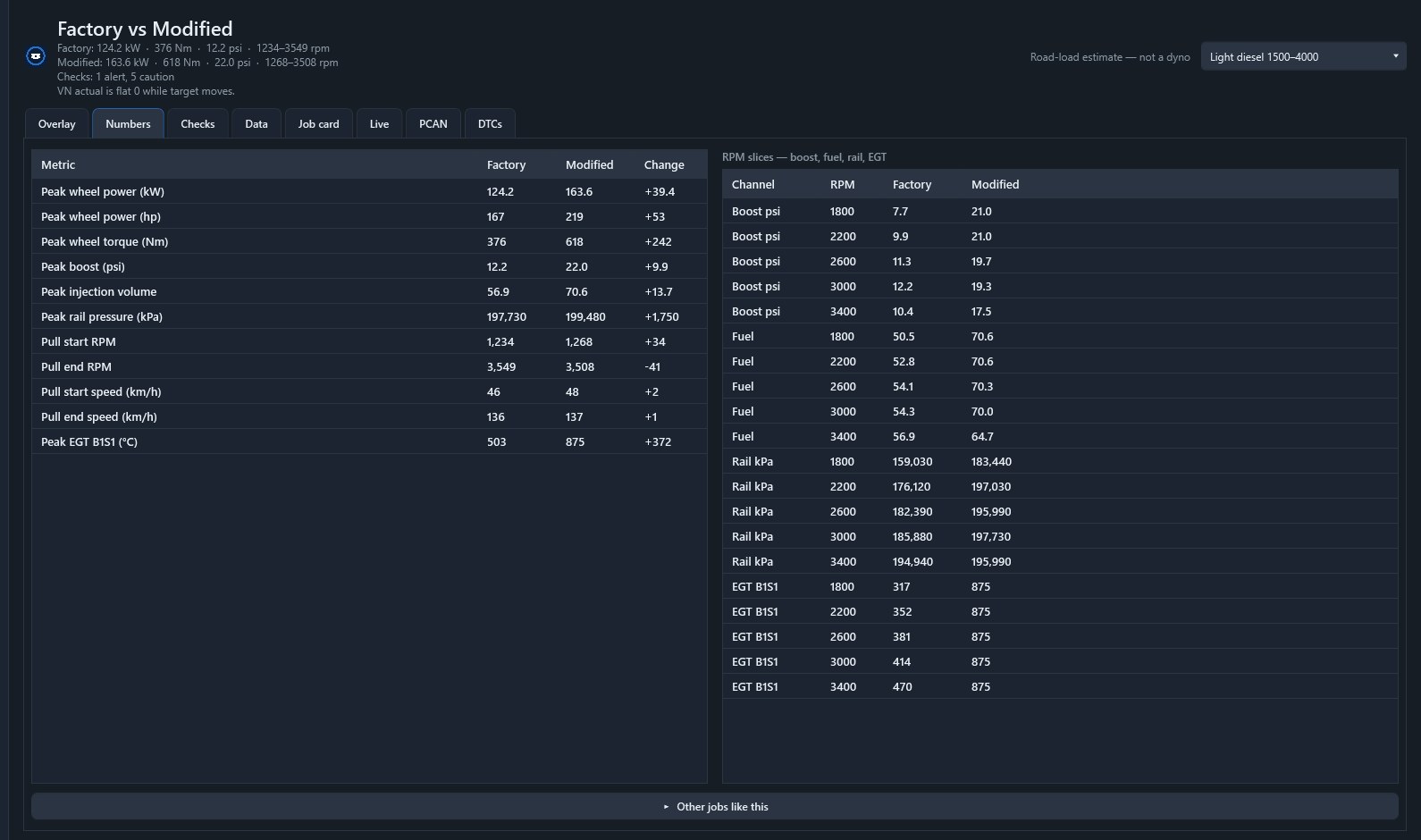
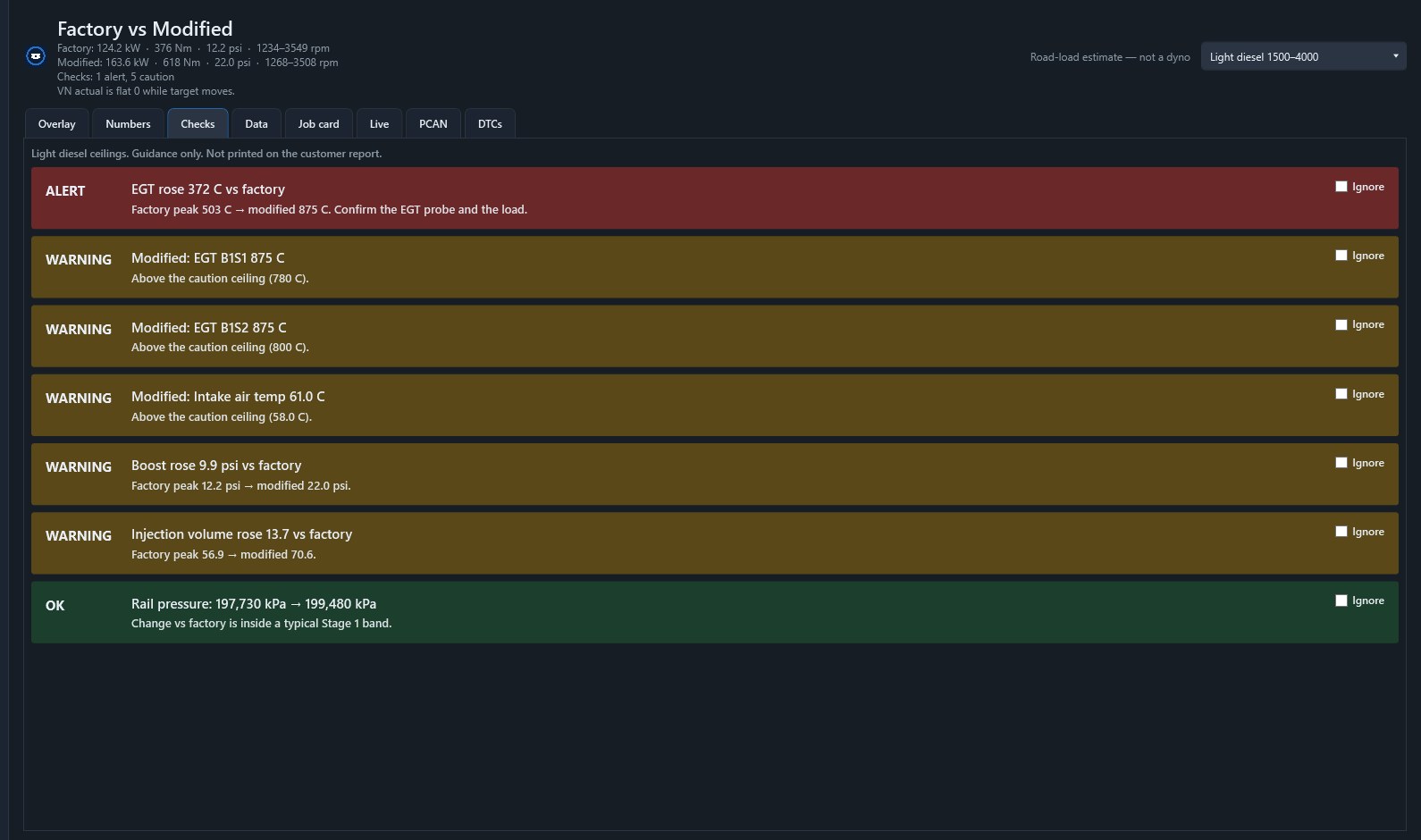
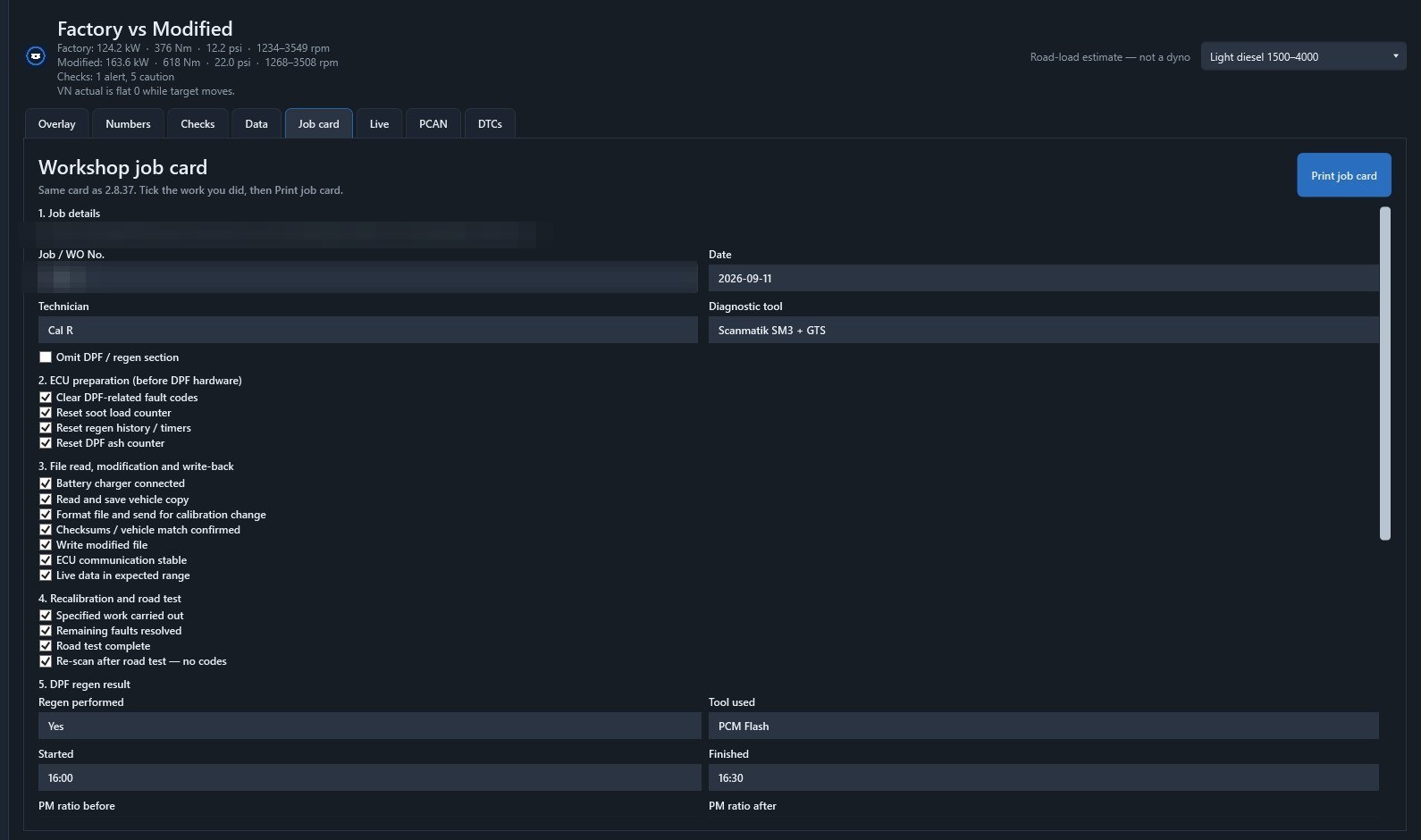
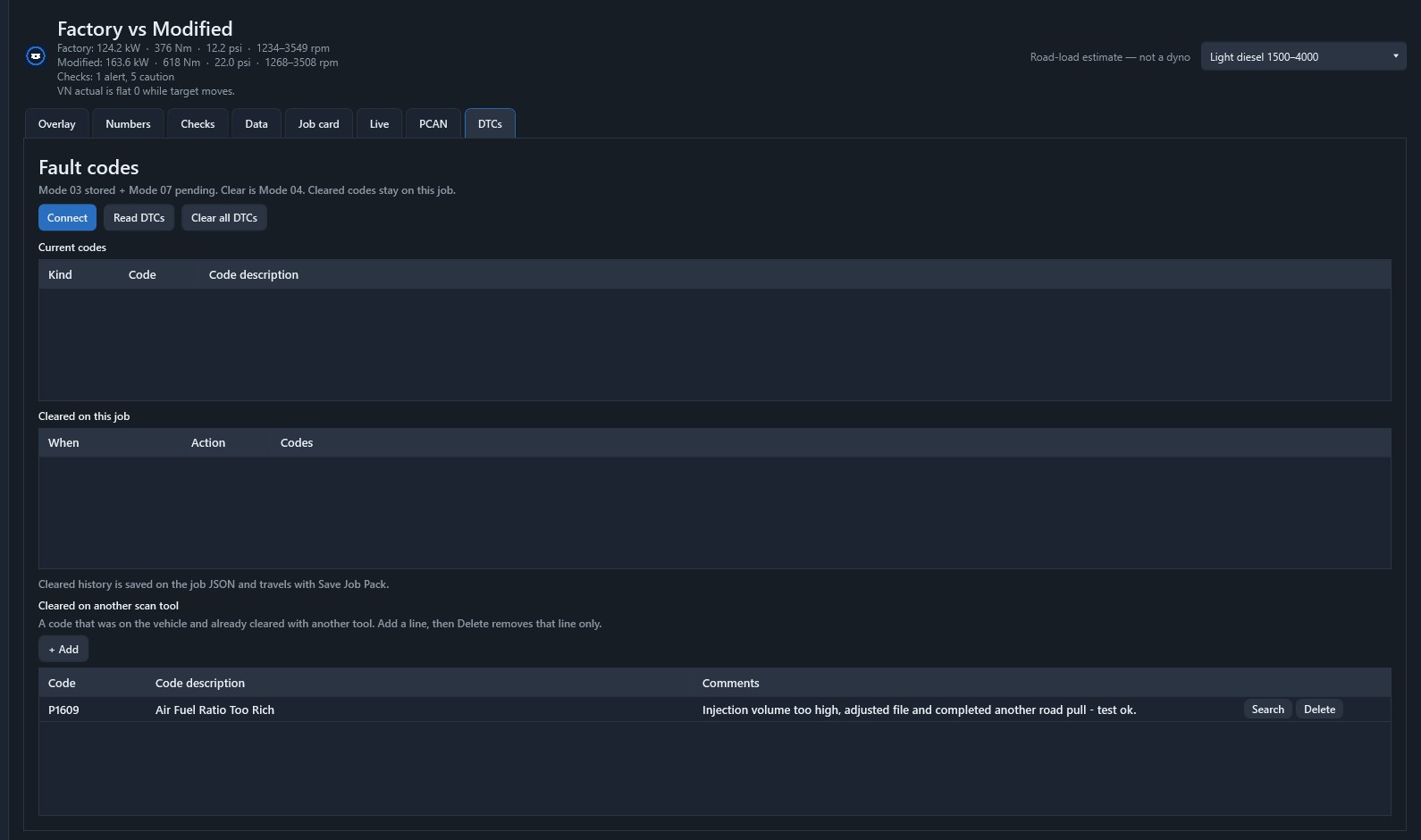
Windows software for shops that tune from the road. Keep the job. Compare the two logs. Print a sheet without a chassis dynamometer.
Diesel-first — LandCruiser 70 / 79, Hilux, and other CAN datalogs. Current public build: SmartECU Desk 3.0 for Windows.
Method
Desk estimates wheel power from how road speed changes against time, the mass on the job, rolling resistance, and a simple aero term. Torque is inferred from that power and engine speed. Use it to compare the same vehicle, same road, factory vs modified.
| Mass | Entered on the job from the plate or a weighbridge. VIN mass is a helper only. |
|---|---|
| Speed and time | Taken from the datalog. Sample times slower than about 1 second are rejected for kW. Aim for a custom list near 60–100 ms. |
| Pull window | Sheets default to 1500–3500 rpm. The live overlay can show 1500–4000. WOT is judged from accelerator position in that band. |
| Tyres | Stock-size all-terrain assumed. A large change in rolling radius falsifies indicated speed and kW. |
| What it is for | Same vehicle, same road, factory vs modified. Not correlation to a named dyno cell. |
Licence
A paid key is tied to the workshop email and that computer’s Machine ID (Help → Copy machine ID). Forwarding the key to another PC will not Activate. A second workshop computer is a second seat.
14-day trial on first install. After that, email [email protected] with the address you want licensed and the Machine ID.
Download
Current public ship: SmartECU Desk 3.0 for Windows. Self-contained installer. Use GTS or official Scanmatik for live data in this preview; load the CSV into the job. Anyone can download Setup. A key is required after the trial.
In-app updates come from app.smartecusolutions.com.au after you install this Setup.
Disclaimer
SmartECU Solutions provides SmartECU Desk as-is for workshop record-keeping and log comparison. You are responsible for how printed sheets are described to the vehicle owner. Mode 04 code clear is your action. Fix the fault first. The authors are not liable for lost jobs, vehicle damage, failed inspection, or commercial claims made from an estimate.